
.png)
Filter Standard Reports by Participant Type
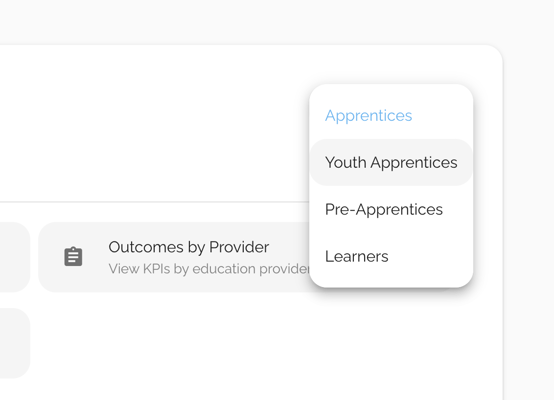
Sponsor and Regulator customers can now select the participant user type for which they want to run any of our 35 standard reports. Previously only possible for apprentice reports, this update makes it even easier to track and report on metrics for pre-apprentices, youth apprentices, and learners on your platform. Try it out by visiting Reports - Standard on your Dashboard.
File Upload Fields Available in Custom Datasets
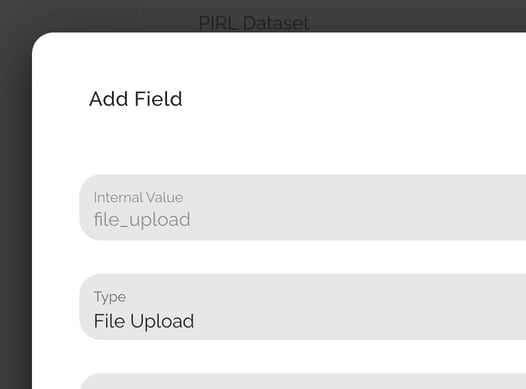
We’ve enhanced our Custom Dataset functionality to now allow documents to be requested and attached during the account creation process for applicants and participants. Collect resumes, forms, IDs etc and review them directly on the applicant or participant's Profile Detail's page. Once you request a Custom Dataset, you can add and manage your own account questions directly from your platform and pull custom reports on them all, including urls for any attached documents.
Ability to Add Wage Holds
When Evaluating Wage Increases
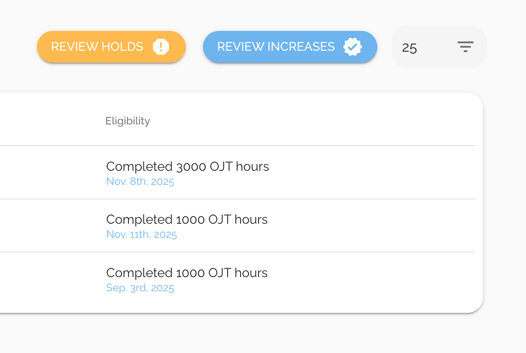
Wages have become more flexible and easier to track. On the Wages page, we've removed the Deny and Approve buttons and replaced them with "Review Increases" and "Review Holds," providing quicker access to the information you need to review, place holds on, or approve eligibility and choose the date to make your approval effective. You also can now edit key wage information after approval and set manual increases or adjust wage steps as needed outside the wage schedule.
Participant Account Updates
Two new permissions now provide greater view of participant progress.
- View Certifications: participants can be given access to view Certifications uploaded into their accounts by program personnel.
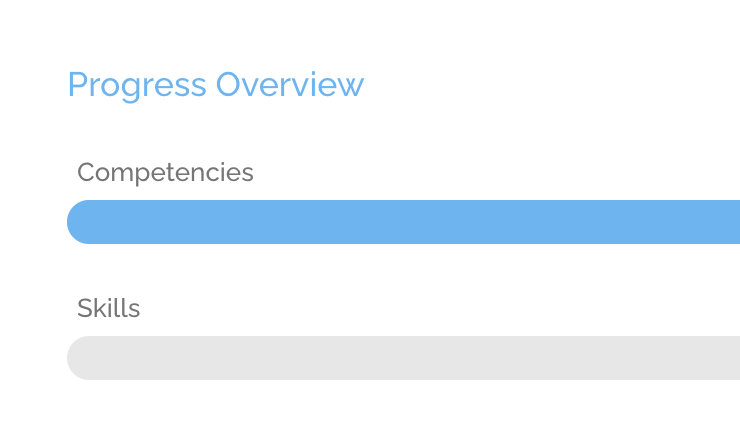
- View Skills Progress Bar: skills can now be tracked in the Progress Overview, displaying the number of skills needed & how many have been completed.
In addition, the participant Progress tab has been revamped for competency and hybrid-based programs to provide a smoother evaluation flow and quicker status assessment.
Have a question about these updates?
