
Our Quickbooks integration allows you to:
- View Quickbooks contacts
- Send invoices through Quickbooks
- View & manage payments
1. Setup your Quickbooks integration
-
- In ApprentiScope, visit your Settings & Permission page by clicking the settings icon in the top right corner
- Then, visit the Integrations tab and select Quickbooks from the dropdown in the Accounting Systems section
2. Enter your Quickbooks Company ID
-
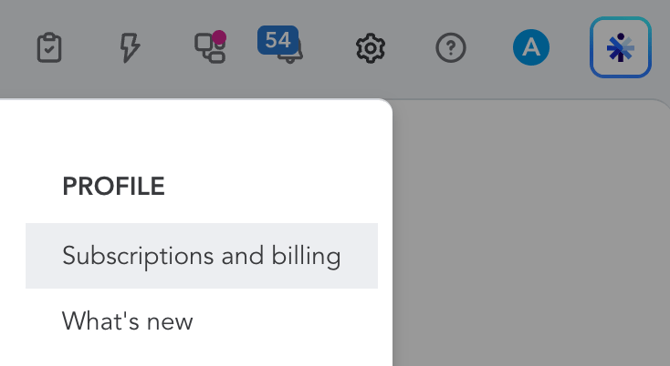
- In Quickbooks, click the settings icon, then Subscription and billing
- Then, locate the 16 digit number to the right of Company ID
- Then, back in ApprentiScope, enter your Company ID under Unique Identifier
2. Click "Connect to Quickbooks" to link your account